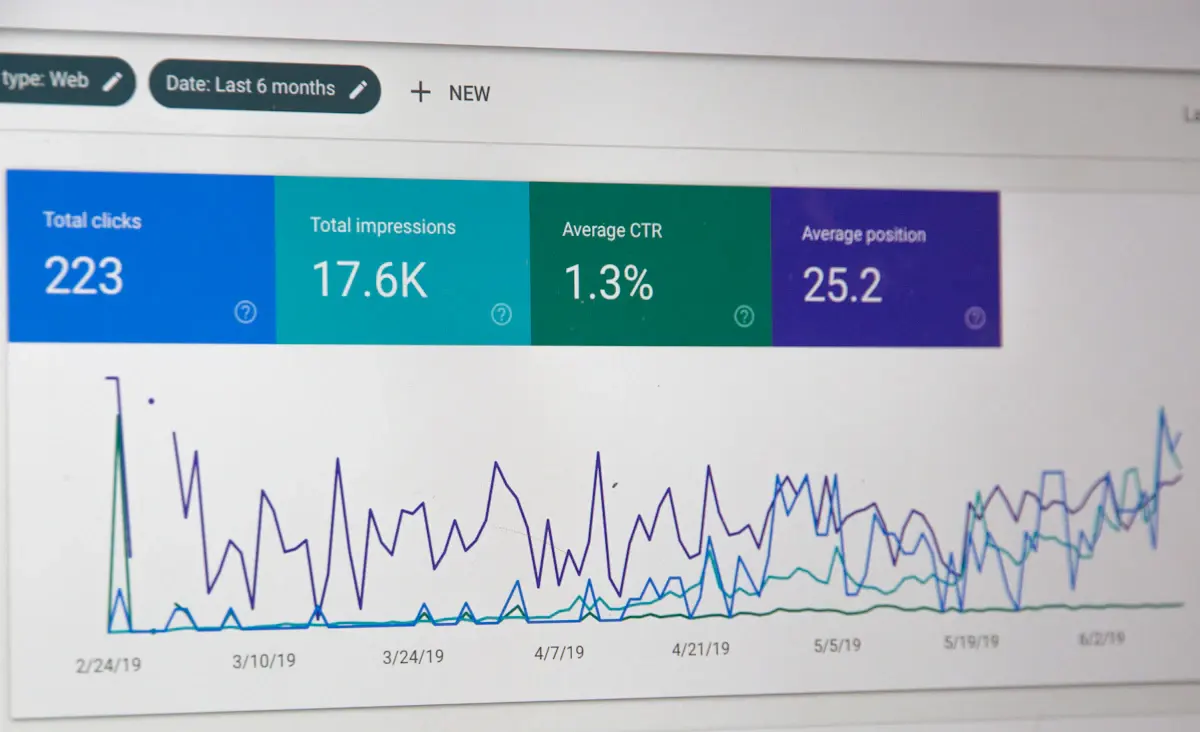
Getting your page to appear in Google is only half the job. The other half is being the result people choose. Your click through rate tells you how often that happens, and for a lot of small business websites it’s the quickest thing to improve, because it doesn’t need you to rank any higher than you already do.
What click through rate means
Click through rate, usually shortened to CTR, is the number of clicks divided by the number of impressions. An impression is counted when your page appears in someone’s search results. If a page appeared 1,000 times last month and was clicked 20 times, its CTR is 2 per cent.
There’s no single “good” figure, and you should be wary of anyone who gives you one. The rate depends heavily on position. The top result gets far more clicks than the eighth, and anything on page two gets very few. It also depends on what else is on the page: adverts, a map with local listings, answer boxes and AI summaries all take attention away from the ordinary results.
So don’t compare your rate to an industry average. Compare your pages to each other.
Find your click through rate in Search Console
Google Search Console is free and shows this data for your own site. Open the performance report for search results, switch on all four figures at the top (total clicks, total impressions, average CTR and average position), and set the date range to the last three months.
Then look at the Pages tab and sort by impressions. You’re looking for pages that:
- have a high number of impressions,
- sit at an average position of roughly ten or better, and
- have a noticeably lower CTR than other pages in similar positions.
Those are pages Google already rates. People are seeing them and choosing something else. Click on one and check the Queries tab to see which searches it’s appearing for.
Why people see you and don’t click
Usually one of four reasons:
- The title doesn’t match the search. Someone searches “boiler servicing cost” and your title says “Services | Smith Heating Ltd”.
- The description gives no reason. It’s missing, cut off, or reads like a list of keywords.
- The page is appearing for the wrong search. Your blog post about choosing a contractor shows up for people who want a contractor today.
- Competitors look more useful. Their results show star ratings, prices or a date, and yours is a plain line of text.
Fixes that make a difference
Rewrite the title for the searcher
Put the main phrase people use near the start, and say something specific after it. “Boiler servicing in Crosby: fixed price, Gas Safe registered” tells the searcher more than a company name does. Keep it short enough to show in full, which in practice means around 50 to 60 characters.
Write a description that earns the click
Meta descriptions don’t affect ranking directly, but they’re your pitch. Say what the page covers and why yours is worth choosing: the area, what’s included, how quickly you respond. One or two sentences is enough.
Be aware that Google sometimes rewrites titles and descriptions if it thinks another piece of text from the page fits the search better. You can’t prevent that, but accurate, specific wording is much more likely to be used as written.
Match the page to the search
If a page is appearing for a search it doesn’t really answer, changing the title won’t help for long. Either improve the page so it does answer that search, or create a separate page that does and link the two.
Add structured data where it’s honest
Structured data is code that helps search engines understand what a page contains, and for some content types it can lead to richer looking results. It has to reflect what’s really on the page. Marking up reviews or questions that visitors can’t see is against Google’s guidelines.
Tidy the page address
A short, readable address such as /boiler-servicing/ looks more trustworthy in results than a string of numbers. Only change existing addresses with redirects in place.
Test one thing at a time
Change the titles and descriptions on a handful of pages, note the date, and leave them for three to four weeks. Then compare the same pages over the same length of time before and after. Check average position too. If the position stayed about the same and the rate went up, the change worked.
A better title on a page that already ranks is some of the cheapest traffic you’ll ever get.
Don’t rewrite everything at once. If you change thirty pages and traffic moves, you won’t know which change did it.
When it isn’t the snippet
If a page sits in position fifteen, its low rate is a ranking problem, not a wording problem. That needs better content, better internal links or technical fixes.
Working through this list is a standard part of our SEO work, and where pages need rewriting to match what people are searching for, our SEO content team does that.